Oracle Data Integrator (ODI) occupies a unique position in the ETL landscape. Unlike traditional ETL tools that extract data, transform it in a middle-tier engine, and load results to a target, ODI uses an ELT (Extract-Load-Transform) architecture that pushes transformation logic to the target database engine. This is implemented through Knowledge Modules (KMs) — code templates in SQL, PL/SQL, or Jython that generate database-specific scripts at runtime. The Knowledge Module abstraction makes ODI powerful but also creates a deep dependency on the ODI runtime, the ODI repository, and Oracle-specific SQL dialects.
Databricks provides a modern lakehouse platform where the ELT philosophy is native: data lands in Delta Lake on cloud object storage, and PySpark or Spark SQL transformations execute on elastic Spark clusters directly against that storage. There is no middle-tier engine, no proprietary repository, and no code-generation abstraction layer. This guide maps every major ODI concept — Knowledge Modules, interfaces/mappings, packages, scenarios, load plans, variables, sequences, journalizing, and topology — to its Databricks equivalent, with production-ready code examples.
ODI Architecture vs. Databricks Lakehouse Architecture
ODI's architecture centers on three key abstractions: the Topology (physical and logical architecture definitions), the Model (metadata about data stores), and the Project (interfaces, packages, and procedures that define transformation logic). The ODI Agent orchestrates execution, calling Knowledge Modules that generate and execute SQL on source and target databases. The ODI Repository (master and work repositories) stores all metadata, versioning, and execution history.
Databricks replaces this entire stack with a unified platform. Unity Catalog serves as the metadata layer (replacing ODI Topology and Model). PySpark notebooks and Databricks SQL replace interfaces and Knowledge Modules. Databricks Workflows replace packages, scenarios, and load plans. Delta Lake provides the target storage with ACID transactions, and Spark clusters replace the ODI Agent as the compute engine.
| ODI Concept | Databricks Equivalent | Notes |
|---|---|---|
| Integration Knowledge Module (IKM) | PySpark transformation / Delta Lake MERGE | Target-side transformation and loading logic |
| Loading Knowledge Module (LKM) | Auto Loader / COPY INTO / JDBC read | Source-to-staging data extraction |
| Check Knowledge Module (CKM) | Delta Lake expectations / PySpark validation | Data quality checks with quarantine handling |
| Interface / Mapping | PySpark notebook / Spark SQL script | Source-to-target transformation definition |
| Package | Databricks Workflow (multi-task job) | Orchestrated sequence of transformation steps |
| Scenario | Databricks Job (compiled, schedulable) | Deployed, versioned execution unit |
| Load Plan | Databricks Workflow with task dependencies | DAG-based orchestration with parallelism |
| ODI Variable | Databricks widget / job parameter | Runtime parameterization |
| ODI Sequence | monotonically_increasing_id() / row_number() | Surrogate key generation |
| ODI Agent | Databricks cluster / SQL warehouse | Elastic compute with auto-scaling |
| Journalizing (CDC) | Delta Lake Change Data Feed (CDF) | Row-level change tracking with timestamps |
| ODI Topology (Physical/Logical) | Unity Catalog (catalog / schema) | Three-level namespace with governance |
| Flow Control (CKM) | Delta Lake expectations / quality checks | Constraint validation with error tables |
| ODI Repository | Unity Catalog + Git Repos | Metadata storage with version control |

Oracle ODI to Databricks migration — automated end-to-end by MigryX
Understanding Knowledge Module Translation
The core challenge of ODI migration is that Knowledge Modules are not simple transformations — they are code templates that generate SQL dynamically based on the interface definition, source/target metadata, and KM options. A single IKM like "IKM Oracle Incremental Update" contains dozens of template steps that produce INSERT, UPDATE, MERGE, and error-handling SQL. Migrating from ODI to Databricks means replacing this code-generation layer with explicit PySpark or Spark SQL that achieves the same result.
IKM Pattern: Incremental Update (Append/Merge)
The most common IKM pattern is incremental update, where incoming data is merged into a target table based on primary key matching. In ODI, this is handled by IKMs like "IKM Oracle Incremental Update" or "IKM SQL to SQL Append." In Databricks, Delta Lake MERGE provides this natively with ACID guarantees.
# ODI IKM Oracle Incremental Update equivalent
# ODI generates:
#   1. CREATE staging table (C$ table)
#   2. INSERT INTO staging FROM source (via LKM)
#   3. UPDATE target WHERE keys match AND data differs
#   4. INSERT INTO target WHERE keys don't exist in target
#   5. Optional: DELETE from target WHERE keys don't exist in source (full refresh)
#   6. DROP staging table

# Databricks Delta Lake MERGE: All steps in one atomic operation
from delta.tables import DeltaTable
from pyspark.sql import functions as F

# Step 1: Read source data (replaces LKM + staging)
source_df = (spark.read
    .format("jdbc")
    .option("url", "jdbc:oracle:thin:@//oracle-host:1521/ORCL")
    .option("dbtable", "source_schema.customer_orders")
    .option("user", dbutils.secrets.get("oracle", "username"))
    .option("password", dbutils.secrets.get("oracle", "password"))
    .load()
)

# Step 2: Apply transformations (replaces ODI interface mappings)
transformed = (source_df
    .withColumn("order_amount_usd",
        F.when(F.col("currency") == "EUR", F.col("amount") * 1.08)
        .when(F.col("currency") == "GBP", F.col("amount") * 1.27)
        .otherwise(F.col("amount"))
    )
    .withColumn("order_quarter",
        F.concat(
            F.year("order_date").cast("string"),
            F.lit("-Q"),
            F.quarter("order_date").cast("string")
        )
    )
    .withColumn("_load_timestamp", F.current_timestamp())
    .select(
        "order_id", "customer_id", "order_date",
        "order_amount_usd", "order_quarter",
        "product_id", "quantity", "status", "_load_timestamp"
    )
)

# Step 3: MERGE into target (replaces IKM incremental update)
target_table = DeltaTable.forName(spark, "silver.customer_orders")

target_table.alias("tgt").merge(
    transformed.alias("src"),
    "tgt.order_id = src.order_id"
).whenMatchedUpdate(
    condition="""
        tgt.order_amount_usd != src.order_amount_usd OR
        tgt.status != src.status OR
        tgt.quantity != src.quantity
    """,
    set={
        "customer_id": "src.customer_id",
        "order_date": "src.order_date",
        "order_amount_usd": "src.order_amount_usd",
        "order_quarter": "src.order_quarter",
        "product_id": "src.product_id",
        "quantity": "src.quantity",
        "status": "src.status",
        "_load_timestamp": "src._load_timestamp"
    }
).whenNotMatchedInsertAll().execute()

print(f"MERGE completed: {transformed.count()} source records processed")
ODI's IKM generates a multi-step SQL script that creates staging tables, performs separate UPDATE and INSERT operations, and drops staging tables. Delta Lake MERGE eliminates all of this ceremony — it atomically handles inserts, updates, and optionally deletes in a single transactional operation. There are no staging tables to manage, no orphaned temporary objects, and no partial-failure states.
LKM Pattern: Source Data Extraction
ODI Loading Knowledge Modules (LKMs) handle data extraction from heterogeneous sources. "LKM SQL to SQL" uses JDBC to move data between databases. "LKM File to SQL" reads flat files into staging tables. In Databricks, these patterns map to JDBC reads, Auto Loader for file ingestion, and COPY INTO for batch file loads.
# LKM File to SQL equivalent: Load CSV files from cloud storage
# ODI LKM generates: CREATE external table, SELECT INTO staging

# Databricks Auto Loader: Schema-aware, incremental file processing
df_raw = (spark.readStream
    .format("cloudFiles")
    .option("cloudFiles.format", "csv")
    .option("cloudFiles.schemaLocation", "/mnt/checkpoints/orders_schema")
    .option("cloudFiles.inferColumnTypes", "true")
    .option("header", "true")
    .option("delimiter", ",")
    .option("cloudFiles.schemaEvolutionMode", "addNewColumns")
    .load("/mnt/landing/oracle_export/orders/")
)

# Add audit metadata
df_bronze = (df_raw
    .withColumn("_source_file", F.input_file_name())
    .withColumn("_ingested_at", F.current_timestamp())
)

# Write to bronze layer
(df_bronze.writeStream
    .format("delta")
    .option("checkpointLocation", "/mnt/checkpoints/orders_bronze")
    .option("mergeSchema", "true")
    .trigger(availableNow=True)
    .toTable("bronze.customer_orders")
)
# LKM SQL to SQL equivalent: JDBC extraction from Oracle
# ODI generates: INSERT INTO staging SELECT * FROM source@dblink

source_data = (spark.read
    .format("jdbc")
    .option("url", "jdbc:oracle:thin:@//oracle-host:1521/ORCL")
    .option("dbtable", "(SELECT * FROM hr.employees WHERE modified_date > SYSDATE - 1)")
    .option("user", dbutils.secrets.get("oracle", "username"))
    .option("password", dbutils.secrets.get("oracle", "password"))
    .option("fetchsize", "10000")
    .option("numPartitions", "8")
    .option("partitionColumn", "employee_id")
    .option("lowerBound", "1")
    .option("upperBound", "1000000")
    .load()
)

source_data.write.format("delta").mode("overwrite").saveAsTable("bronze.employees")
MigryX: Purpose-Built Parsers for Every Legacy Technology
MigryX does not rely on generic text matching or regex-based parsing. For every supported legacy technology, MigryX has built a dedicated Abstract Syntax Tree (AST) parser that understands the full grammar and semantics of that platform. This means MigryX captures not just what the code does, but why — understanding implicit behaviors, default settings, and platform-specific quirks that generic tools miss entirely.
ODI Interface Mappings to PySpark DataFrame Transformations
An ODI interface (called "mapping" in ODI 12c) defines source-to-target column mappings with transformation expressions. Each target column has an expression that can reference source columns, ODI functions, lookups, and variables. In PySpark, these become DataFrame select() or withColumn() operations.
# ODI Interface mapping example:
# Source: SALES.TRANSACTIONS (Oracle)
# Target: DW.FACT_SALES (Oracle)
#
# Mappings:
#   SALE_KEY       = SALES_SEQ.NEXTVAL                    (ODI sequence)
#   CUSTOMER_SK    = LOOKUP(DIM_CUSTOMER, CUST_ID)        (lookup)
#   PRODUCT_SK     = LOOKUP(DIM_PRODUCT, PROD_CODE)       (lookup)
#   SALE_DATE      = TRUNC(TXN_TIMESTAMP)                 (expression)
#   SALE_AMOUNT    = QUANTITY * UNIT_PRICE * (1 - DISCOUNT)(expression)
#   CURRENCY_CODE  = NVL(CURRENCY, 'USD')                 (null handling)
#   REGION         = DECODE(REGION_CODE, 1,'NA',2,'EU',3,'APAC','OTHER') (decode)

from pyspark.sql import functions as F
from pyspark.sql.window import Window

# Read source
transactions = spark.table("bronze.transactions")

# Lookup tables (replaces ODI lookup definitions)
dim_customer = spark.table("gold.dim_customer").select("customer_sk", "cust_id")
dim_product = spark.table("gold.dim_product").select("product_sk", "prod_code")

# Apply transformations (replaces ODI interface column mappings)
fact_sales = (transactions
    # Joins replace ODI lookups
    .join(F.broadcast(dim_customer),
          transactions.cust_id == dim_customer.cust_id, "left")
    .join(F.broadcast(dim_product),
          transactions.prod_code == dim_product.prod_code, "left")
    # Column expressions replace ODI derivations
    .withColumn("sale_date", F.to_date("txn_timestamp"))
    .withColumn("sale_amount",
        F.col("quantity") * F.col("unit_price") * (1 - F.col("discount")))
    .withColumn("currency_code",
        F.coalesce(F.col("currency"), F.lit("USD")))
    .withColumn("region",
        F.when(F.col("region_code") == 1, "NA")
        .when(F.col("region_code") == 2, "EU")
        .when(F.col("region_code") == 3, "APAC")
        .otherwise("OTHER"))
    # Surrogate key replaces ODI sequence
    .withColumn("sale_key", F.monotonically_increasing_id())
    # Select final columns matching target schema
    .select(
        "sale_key", "customer_sk", "product_sk",
        "sale_date", "sale_amount", "currency_code", "region"
    )
)

fact_sales.write.format("delta").mode("append").saveAsTable("gold.fact_sales")
ODI Variables to Databricks Widgets and Parameters
ODI variables serve multiple purposes: they parameterize interfaces and packages, hold query results (refreshing variables), store global configuration, and control flow logic. Databricks provides widgets for notebook-level parameterization and job parameters for workflow-level configuration.
| ODI Variable Type | Databricks Equivalent | Scope |
|---|---|---|
| Project Variable (static) | Notebook widget with default value | Notebook-level parameter |
| Global Variable | Job parameter / cluster environment variable | Workflow-level or cluster-level |
| Refreshing Variable (query-based) | Spark SQL query result assigned to Python variable | Runtime computed value |
| Sequence Variable | MAX(column) + row_number() pattern | Incrementing numeric key |
| Declare Variable (procedure-local) | Python local variable | Function-level scope |
# ODI refreshing variable equivalent
# ODI: #GLOBAL.LAST_EXTRACT_DATE = SELECT MAX(extract_date) FROM ctl.extract_log WHERE status='SUCCESS'

# Databricks: Query-based variable assignment
last_extract_date = spark.sql("""
    SELECT MAX(extract_date) AS last_date
    FROM control.extract_log
    WHERE status = 'SUCCESS'
""").collect()[0]["last_date"]

print(f"Last successful extract: {last_extract_date}")

# Use in subsequent queries (replaces ODI variable substitution)
new_records = spark.sql(f"""
    SELECT * FROM bronze.transactions
    WHERE modified_date > '{last_extract_date}'
""")

# ODI project variable equivalent: Notebook widgets
dbutils.widgets.text("source_schema", "bronze", "Source Schema")
dbutils.widgets.text("target_schema", "silver", "Target Schema")
dbutils.widgets.dropdown("load_mode", "incremental", ["full", "incremental"], "Load Mode")

source_schema = dbutils.widgets.get("source_schema")
target_schema = dbutils.widgets.get("target_schema")
load_mode = dbutils.widgets.get("load_mode")

if load_mode == "full":
    df = spark.table(f"{source_schema}.transactions")
else:
    df = spark.sql(f"""
        SELECT * FROM {source_schema}.transactions
        WHERE modified_date > '{last_extract_date}'
    """)
ODI Sequences to Surrogate Key Generation
ODI sequences generate auto-incrementing numeric values for surrogate keys, similar to Oracle database sequences. In Databricks, surrogate key generation uses monotonically_increasing_id() for unique (but not sequential) identifiers, or row_number() with a maximum-value offset for sequential keys that continue from the last loaded value.
# ODI Sequence: ODI_SEQ_CUSTOMER_KEY (native sequence, or ODI-managed identity)
# Pattern: Get current max, assign sequential keys to new records

from pyspark.sql.window import Window

# Get current maximum key from target table
max_key_row = spark.sql("""
    SELECT COALESCE(MAX(customer_key), 0) AS max_key
    FROM gold.dim_customer
""").collect()[0]
max_key = max_key_row["max_key"]

# Assign sequential keys to new records
window_spec = Window.orderBy("customer_id")
new_customers = (spark.table("silver.customer_staging")
    .withColumn("customer_key",
        F.row_number().over(window_spec) + F.lit(max_key))
)

new_customers.write.format("delta").mode("append").saveAsTable("gold.dim_customer")
print(f"Assigned keys {max_key + 1} through {max_key + new_customers.count()}")
ODI Packages and Scenarios to Databricks Workflows
ODI packages orchestrate the execution of interfaces, procedures, variables, and other packages in a defined sequence with conditional branching (OK/KO paths). Scenarios are compiled, deployable versions of packages. Load plans provide parallel execution with step-level restart capability. All of these map to Databricks Workflows, which support task DAGs, conditional execution, retry policies, and parameterized runs.
# ODI Package structure:
#   Step 1: Refresh Variable (get last extract date)
#   Step 2 (OK): Interface: Load staging (LKM File to SQL)
#   Step 3 (OK): Interface: Transform and merge (IKM Incremental Update)
#   Step 4 (OK): Interface: Build aggregates
#   Step 4 (KO): Procedure: Send error notification
#   Step 5: Procedure: Update control table

# Databricks Workflow equivalent
{
  "name": "odi_migration_daily_load",
  "tasks": [
    {
      "task_key": "get_extract_date",
      "notebook_task": {
        "notebook_path": "/odi_migration/01_get_extract_date"
      },
      "max_retries": 1,
      "timeout_seconds": 300
    },
    {
      "task_key": "load_staging",
      "depends_on": [{"task_key": "get_extract_date"}],
      "notebook_task": {
        "notebook_path": "/odi_migration/02_load_staging",
        "base_parameters": {
          "last_extract_date": "{{tasks.get_extract_date.values.last_extract_date}}"
        }
      },
      "run_if": "ALL_SUCCESS",
      "max_retries": 2
    },
    {
      "task_key": "transform_merge",
      "depends_on": [{"task_key": "load_staging"}],
      "notebook_task": {
        "notebook_path": "/odi_migration/03_transform_merge"
      },
      "run_if": "ALL_SUCCESS"
    },
    {
      "task_key": "build_aggregates",
      "depends_on": [{"task_key": "transform_merge"}],
      "notebook_task": {
        "notebook_path": "/odi_migration/04_build_aggregates"
      },
      "run_if": "ALL_SUCCESS"
    },
    {
      "task_key": "send_error_notification",
      "depends_on": [{"task_key": "transform_merge"}],
      "notebook_task": {
        "notebook_path": "/odi_migration/error_notification"
      },
      "run_if": "AT_LEAST_ONE_FAILED"
    },
    {
      "task_key": "update_control_table",
      "depends_on": [
        {"task_key": "build_aggregates"},
        {"task_key": "send_error_notification"}
      ],
      "notebook_task": {
        "notebook_path": "/odi_migration/05_update_control_table"
      },
      "run_if": "ALL_DONE"
    }
  ],
  "schedule": {
    "quartz_cron_expression": "0 0 6 * * ?",
    "timezone_id": "America/New_York"
  }
}
ODI Load Plans: Parallel Execution with Dependencies
ODI load plans provide sophisticated orchestration with parallel steps, serial steps, exception handling, and restart capabilities. Databricks Workflows natively support parallel task execution through the dependency graph — tasks without dependency relationships run in parallel automatically.
# ODI Load Plan with parallel steps:
#   Serial Step: Initialize
#   Parallel Step:
#     - Load Customers (interface)
#     - Load Products (interface)
#     - Load Regions (interface)
#   Serial Step: Load Orders (depends on all dimension loads)
#   Serial Step: Build Aggregates

# Databricks Workflow: Parallel tasks run automatically when dependencies allow
{
  "name": "odi_load_plan_equivalent",
  "tasks": [
    {
      "task_key": "initialize",
      "notebook_task": {"notebook_path": "/pipelines/initialize"}
    },
    {
      "task_key": "load_customers",
      "depends_on": [{"task_key": "initialize"}],
      "notebook_task": {"notebook_path": "/pipelines/load_customers"}
    },
    {
      "task_key": "load_products",
      "depends_on": [{"task_key": "initialize"}],
      "notebook_task": {"notebook_path": "/pipelines/load_products"}
    },
    {
      "task_key": "load_regions",
      "depends_on": [{"task_key": "initialize"}],
      "notebook_task": {"notebook_path": "/pipelines/load_regions"}
    },
    {
      "task_key": "load_orders",
      "depends_on": [
        {"task_key": "load_customers"},
        {"task_key": "load_products"},
        {"task_key": "load_regions"}
      ],
      "notebook_task": {"notebook_path": "/pipelines/load_orders"}
    },
    {
      "task_key": "build_aggregates",
      "depends_on": [{"task_key": "load_orders"}],
      "notebook_task": {"notebook_path": "/pipelines/build_aggregates"}
    }
  ]
}
ODI Journalizing (CDC) to Delta Lake Change Data Feed
ODI journalizing captures changes on source tables by creating journal tables (J$ tables) and triggers or log-based mechanisms. This enables incremental extraction where only changed rows are processed. Delta Lake provides Change Data Feed (CDF), which records row-level changes (inserts, updates, pre-image and post-image of updates, deletes) automatically when enabled on a table.
# Enable Change Data Feed on a Delta table (replaces ODI journalizing setup)
spark.sql("""
    ALTER TABLE silver.customer_orders
    SET TBLPROPERTIES ('delta.enableChangeDataFeed' = 'true')
""")

# Read changes since last processing (replaces ODI journal table query)
# ODI equivalent: SELECT * FROM J$_CUSTOMER_ORDERS WHERE JRN_FLAG IN ('I','U')

changes = (spark.read
    .format("delta")
    .option("readChangeFeed", "true")
    .option("startingVersion", 15)  # or startingTimestamp
    .table("silver.customer_orders")
)

# Filter by change type
inserts = changes.filter(F.col("_change_type") == "insert")
updates = changes.filter(F.col("_change_type").isin("update_postimage"))
deletes = changes.filter(F.col("_change_type") == "delete")

print(f"Changes: {inserts.count()} inserts, {updates.count()} updates, {deletes.count()} deletes")

# Apply changes to downstream gold table using MERGE
gold_target = DeltaTable.forName(spark, "gold.customer_orders_summary")

# Process only changed records (incremental, like ODI journalizing)
changed_customers = changes.filter(
    F.col("_change_type").isin("insert", "update_postimage")
).select("customer_id", "order_amount_usd", "order_date")

# Reaggregate only affected customers
updated_summary = (changed_customers
    .groupBy("customer_id")
    .agg(
        F.sum("order_amount_usd").alias("total_orders"),
        F.max("order_date").alias("last_order_date"),
        F.count("*").alias("order_count")
    )
)

gold_target.alias("tgt").merge(
    updated_summary.alias("src"),
    "tgt.customer_id = src.customer_id"
).whenMatchedUpdateAll().whenNotMatchedInsertAll().execute()
ODI journalizing requires creating journal tables (J$ tables), journal triggers or log-mining configuration, and journal subscribers in the ODI topology. Delta Lake Change Data Feed eliminates all of this infrastructure — enabling CDF is a single table property change, and the change feed is automatically maintained by Delta Lake's transaction log. No triggers, no journal tables, no subscriber configuration.
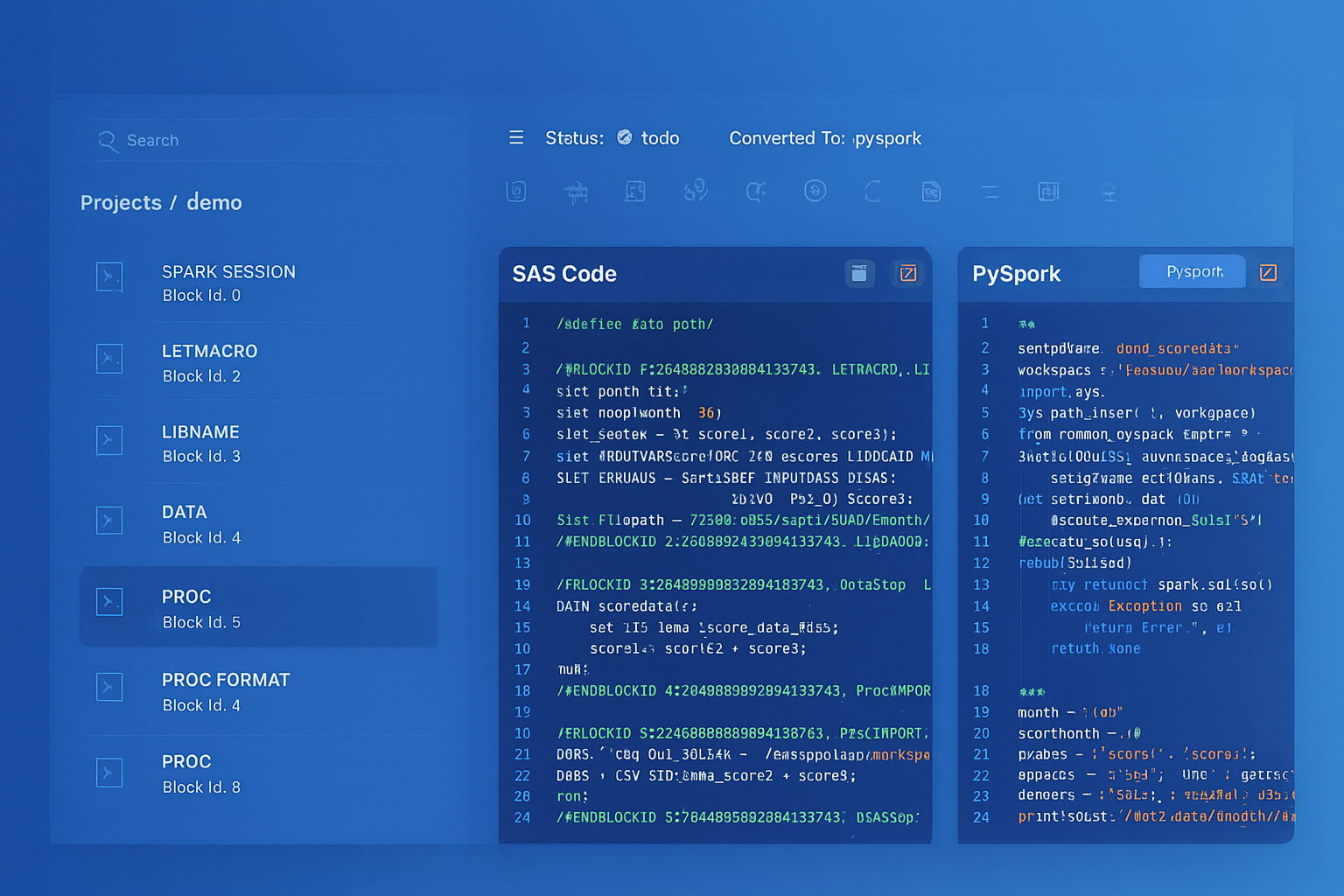
From parsed legacy code to production-ready modern equivalents — MigryX automates the entire conversion pipeline
From Legacy Complexity to Modern Clarity with MigryX
Legacy ETL platforms encode business logic in visual workflows, proprietary XML formats, and platform-specific constructs that are opaque to standard analysis tools. MigryX’s deep parsers crack open these proprietary formats and extract the underlying data transformations, business rules, and data flows. The result is complete transparency into what your legacy code actually does — often revealing undocumented logic that even the original developers had forgotten.
ODI Topology to Unity Catalog
ODI Topology defines physical and logical schemas that abstract database connections. Physical schemas map to actual database schemas, while logical schemas provide a layer of indirection for environment promotion (dev/test/prod). Unity Catalog provides a three-level namespace (catalog.schema.table) that serves the same purpose with additional governance capabilities.
| ODI Topology Concept | Unity Catalog Equivalent | Notes |
|---|---|---|
| Physical Schema | Unity Catalog Schema | Direct mapping to database schema |
| Logical Schema | Unity Catalog Catalog | Environment abstraction (dev/test/prod catalogs) |
| Context (DEV/TEST/PROD) | Catalog name (dev_catalog/prod_catalog) | Environment promotion via catalog switching |
| Data Server (connection) | External connection / Secret scope | Managed credentials with secret management |
| Agent (physical/standalone) | Databricks cluster / SQL warehouse | Elastic compute with auto-scaling |
| Technology definition | Built-in format support + connectors | Delta, Parquet, CSV, JSON, JDBC, etc. |
# ODI Context-based environment switching equivalent
# ODI: Logical schema "LS_DW" maps to "DW_DEV" in DEV context, "DW_PROD" in PROD context

# Databricks: Use catalog name for environment switching
environment = dbutils.widgets.get("environment")  # "dev" or "prod"

if environment == "dev":
    catalog = "dev_catalog"
elif environment == "prod":
    catalog = "prod_catalog"
else:
    raise ValueError(f"Unknown environment: {environment}")

spark.sql(f"USE CATALOG {catalog}")
spark.sql("USE SCHEMA warehouse")

# All subsequent queries automatically use the correct environment
df = spark.table("fact_orders")  # Resolves to dev_catalog.warehouse.fact_orders or prod_catalog.warehouse.fact_orders
CKM Flow Control to Delta Lake Data Quality
ODI Check Knowledge Modules (CKMs) validate data against constraints defined on the target datastore. Rows that fail validation are moved to error tables (E$ tables) with error messages and codes. In Databricks, data quality checks can be implemented using PySpark validation logic, Delta Lake expectations (in Delta Live Tables), or SQL-based constraint checks.
# ODI CKM Oracle equivalent: Validate data against target constraints
# ODI generates: INSERT INTO E$_TARGET SELECT * FROM I$_TARGET WHERE constraint_violated

df_staged = spark.table("staging.order_lines")

# Define validation rules (replaces ODI CKM constraint checks)
validation_rules = {
    "NOT_NULL_ORDER_ID": F.col("order_id").isNotNull(),
    "NOT_NULL_PRODUCT_ID": F.col("product_id").isNotNull(),
    "POSITIVE_QUANTITY": F.col("quantity") > 0,
    "POSITIVE_AMOUNT": F.col("amount") > 0,
    "VALID_STATUS": F.col("status").isin("OPEN", "SHIPPED", "DELIVERED", "CANCELLED"),
    "VALID_DATE": F.col("order_date").between("2020-01-01", "2030-12-31")
}

# Apply all validation rules
valid_mask = F.lit(True)
error_reasons = F.lit("")

for rule_name, rule_condition in validation_rules.items():
    valid_mask = valid_mask & rule_condition
    error_reasons = F.when(
        ~rule_condition,
        F.concat(error_reasons, F.lit(f"{rule_name}; "))
    ).otherwise(error_reasons)

df_validated = df_staged.withColumn("_is_valid", valid_mask).withColumn("_error_reasons", error_reasons)

# Separate valid and error records (replaces E$ error table)
valid_records = df_validated.filter(F.col("_is_valid")).drop("_is_valid", "_error_reasons")
error_records = (df_validated
    .filter(~F.col("_is_valid"))
    .withColumn("_error_timestamp", F.current_timestamp())
    .withColumn("_source_system", F.lit("ODI_MIGRATION"))
)

# Write valid records to target
valid_records.write.format("delta").mode("append").saveAsTable("silver.order_lines")

# Write errors to quarantine table (replaces E$ table)
error_records.write.format("delta").mode("append").saveAsTable("quarantine.order_lines_errors")

valid_count = valid_records.count()
error_count = error_records.count()
print(f"Flow control results: {valid_count} valid, {error_count} rejected")

# Fail the notebook if error rate exceeds threshold
error_rate = error_count / (valid_count + error_count) if (valid_count + error_count) > 0 else 0
if error_rate > 0.05:
    raise Exception(f"Error rate {error_rate:.2%} exceeds 5% threshold. Check quarantine.order_lines_errors.")
Medallion Architecture: Organizing the Migrated Pipelines
ODI projects typically organize data flows across staging schemas, intermediate work tables, and target data warehouse schemas. This maps to the Databricks Medallion Architecture pattern, which provides a standardized approach to data quality progression.
| ODI Data Layer | Medallion Tier | Delta Lake Implementation |
|---|---|---|
| Staging area (C$ tables) | Bronze | Raw ingestion with audit metadata columns |
| Work tables (I$ tables) | Silver | Cleansed, deduplicated, conformed data |
| Target data warehouse | Gold | Business-level dimensions, facts, and aggregates |
| Error tables (E$ tables) | Quarantine | Rejected records with error reasons and timestamps |
| Journal tables (J$ tables) | Delta Lake Change Data Feed | Automatic change tracking via transaction log |
MLflow: Extending Beyond ODI's ETL Scope
ODI is a pure data integration tool with no native machine learning capabilities. Databricks extends the platform with MLflow for experiment tracking, model training, model registry, and model serving. Feature engineering pipelines that previously terminated in ODI-loaded tables and fed external ML tools can now run end-to-end on Databricks.
# Feature engineering pipeline that extends beyond what ODI can do
import mlflow
from pyspark.ml.feature import VectorAssembler, StringIndexer
from pyspark.ml.classification import RandomForestClassifier
from pyspark.ml import Pipeline

# Features from ODI-migrated gold tables
features = spark.sql("""
    SELECT
        c.customer_id,
        c.tenure_months,
        c.credit_tier,
        o.total_orders,
        o.avg_order_value,
        o.days_since_last_order,
        CASE WHEN o.days_since_last_order > 180 THEN 1 ELSE 0 END AS is_churned
    FROM gold.dim_customer c
    JOIN gold.customer_order_summary o ON c.customer_id = o.customer_id
""")

# Build ML pipeline
with mlflow.start_run(run_name="churn_model_v1"):
    indexer = StringIndexer(inputCol="credit_tier", outputCol="credit_tier_idx")
    assembler = VectorAssembler(
        inputCols=["tenure_months", "credit_tier_idx", "total_orders",
                    "avg_order_value", "days_since_last_order"],
        outputCol="features"
    )
    rf = RandomForestClassifier(labelCol="is_churned", featuresCol="features", numTrees=100)
    pipeline = Pipeline(stages=[indexer, assembler, rf])

    model = pipeline.fit(features)
    mlflow.spark.log_model(model, "churn_model")
    mlflow.log_metric("accuracy", 0.92)
How MigryX Automates ODI-to-Databricks Migration
MigryX uses AST-based deterministic parsing to analyze ODI repository exports (XML-based smart exports and SDK extracts), building a complete abstract syntax tree of each interface mapping, Knowledge Module template, package flow, and load plan dependency graph. Unlike regex-based tools that cannot parse nested ODI expressions, or AI-only approaches that approximate KM behavior, MigryX's parser achieves +95% accuracy by understanding the full structure of ODI metadata — including KM option settings, variable substitutions, flow control conditions, and multi-technology topology mappings.
MigryX ODI Migration Workflow
- Repository Analysis — MigryX connects to the ODI repository (or processes smart exports) and inventories all projects, folders, interfaces/mappings, packages, scenarios, load plans, variables, sequences, and Knowledge Module assignments. Column-level lineage is traced from source datastores through every mapping expression to target columns.
- Knowledge Module Decomposition — Each KM assignment is decomposed into its generated SQL steps. IKM incremental patterns become Delta Lake MERGE operations. LKM extraction patterns become Auto Loader or JDBC read configurations. CKM validation patterns become PySpark quality checks with quarantine tables.
- Interface-to-PySpark Translation — ODI interface column mappings, expressions, joins, filters, and lookup definitions are parsed into an AST and deterministically translated to PySpark DataFrame operations. ODI functions (NVL, DECODE, INSTR, SUBSTR) are mapped to their PySpark/Spark SQL equivalents.
- Package-to-Workflow Conversion — ODI package step sequences with OK/KO branching are converted to Databricks Workflow task DAGs with run_if conditions (ALL_SUCCESS, AT_LEAST_ONE_FAILED) that preserve the original error-handling logic.
- STTM Documentation — Source-to-Target Mapping documents capture every column mapping, transformation expression, KM option, and data type conversion for comprehensive audit trails and regulatory compliance.
- Merlin AI — MigryX's Merlin AI handles edge cases including custom Knowledge Modules with non-standard template steps, complex Jython procedures, and Oracle-specific SQL constructs (CONNECT BY, MODEL clause, XMLTABLE) that require contextual translation beyond deterministic rules.
Key Takeaways
- ODI Knowledge Modules (IKM/LKM/CKM) are code-generation templates that produce multi-step SQL scripts. In Databricks, these are replaced by explicit PySpark transformations and Delta Lake MERGE operations that are simpler, auditable, and ACID-compliant.
- ODI interfaces (mappings) translate to PySpark DataFrame operations — column expressions become withColumn/select, lookups become joins, and filters become DataFrame filter conditions.
- ODI packages and scenarios map to Databricks Workflows with task dependencies, conditional execution (run_if), and retry policies. Load plans with parallel steps translate to workflow DAGs where tasks without dependencies run concurrently.
- ODI journalizing (J$ tables and triggers) is replaced by Delta Lake Change Data Feed (CDF), which provides row-level change tracking automatically through the Delta transaction log — no triggers or journal tables required.
- ODI Topology (physical/logical schemas with context-based switching) maps to Unity Catalog's three-level namespace, where catalog names provide environment abstraction (dev_catalog vs. prod_catalog).
- CKM flow control (E$ error tables) translates to PySpark validation logic with quarantine tables, or Delta Live Tables expectations for declarative data quality enforcement.
- MigryX automates the conversion with AST-based deterministic parsing at +95% accuracy, decomposing Knowledge Modules into their generated SQL, translating ODI expressions to PySpark, and generating STTM documentation. On-premise and air-gapped deployment ensures no ODI repository metadata leaves your security perimeter.
Migrating from Oracle ODI to Databricks eliminates the Knowledge Module abstraction layer that sits between your transformation logic and its execution. In ODI, you define mappings in a visual tool, assign Knowledge Modules that generate SQL, and deploy scenarios that the ODI Agent executes against target databases. In Databricks, you write PySpark or Spark SQL directly — the code is the transformation, and it executes on elastic Spark clusters against Delta Lake storage. The result is a simpler, more transparent architecture where every transformation is visible, testable, and version-controlled in Git. Unity Catalog provides governance that exceeds ODI's topology-based access control, and Delta Lake delivers ACID transactions, time travel, and Change Data Feed capabilities that ODI's journal-table approach cannot match. With MigryX's automated, AST-based approach, organizations can migrate hundreds of ODI interfaces, packages, and load plans while preserving complete business logic fidelity and generating the comprehensive STTM documentation that enterprise migrations demand.
Why MigryX Is the Only Platform That Handles This Migration
The challenges described throughout this article are exactly what MigryX was built to solve. Here is how MigryX transforms this process:
- Deep AST parsing: MigryX’s custom-built parsers achieve 95% accuracy on every supported legacy technology — not through approximation, but through true semantic understanding.
- Merlin AI augmentation: Where deterministic parsing reaches its limit, Merlin AI resolves ambiguities and implicit behaviors, pushing accuracy to 99%.
- Complete coverage: MigryX supports 25+ source technologies including SAS, Informatica, DataStage, SSIS, Alteryx, Talend, ODI, Teradata, and Oracle PL/SQL.
- End-to-end automation: From parsing to conversion to validation — MigryX automates the entire pipeline, not just one step.
MigryX combines precision AST parsing with Merlin AI to deliver 99% accurate, production-ready migration — turning what used to be a multi-year manual effort into a streamlined, validated process. See it in action.
Ready to migrate from Oracle ODI to Databricks?
See how MigryX converts ODI Knowledge Modules, interfaces, packages, and load plans to production-ready PySpark notebooks and Databricks Workflows.
Explore ODI Migration Schedule a Demo