
Oracle Data Integrator (ODI) has served as the primary ETL engine in Oracle-centric enterprises for over two decades. Its Knowledge Module architecture — separating integration logic into reusable templates for loading (LKM), integration (IKM), checking (CKM), journalizing (JKM), and reverse-engineering (RKM) — was a groundbreaking approach to metadata-driven data integration when first introduced. However, organizations running ODI today face compounding challenges: escalating Oracle license costs, dependency on Java-based agent infrastructure, a diminishing talent pool for Knowledge Module development, and a template framework that cannot leverage serverless compute, columnar storage, or modern SQL-based transformation pipelines.
Google BigQuery offers a fundamentally different paradigm: serverless compute with zero cluster management, petabyte-scale columnar storage, and a SQL engine that processes massive datasets in seconds. Combined with Dataform for SQL-based transformation workflows, Cloud Composer (managed Apache Airflow) for orchestration, and Dataplex for governance, BigQuery provides a complete replacement for every component in the ODI stack — without the middleware layer that makes ODI complex and expensive to operate.
This article provides a detailed technical mapping of every major ODI concept to its BigQuery-native equivalent, including production-ready code examples for IKM incremental update patterns, ODI interface-to-SQL transformations, package-to-DAG conversions, and CDC journalizing replacements. Whether you are planning an ODI migration or evaluating BigQuery as a target platform, this guide covers the architectural decisions and implementation patterns you need.
ODI Architecture vs. BigQuery Architecture
Understanding the architectural differences between ODI and BigQuery is essential for planning a migration. ODI follows a metadata-driven E-LT (Extract, Load, Transform) architecture where the heavy lifting happens in the target database, orchestrated by ODI's code-generation engine. BigQuery eliminates the orchestration middleware entirely, providing a single platform for storage, compute, transformation, and governance.
How ODI Works Under the Hood
ODI Studio is a thick-client IDE where developers design Mappings (called Interfaces in ODI 11g). Each Mapping references Knowledge Modules — Jython and SQL code templates that generate the actual integration SQL at runtime. The ODI Agent (a standalone Java process or one co-located with WebLogic) connects to source and target databases via JDBC, executes the generated SQL, and logs results back to the ODI Repository. The Master Repository stores global topology definitions and security policies, while the Work Repository stores project-level artifacts: Mappings, Packages, Scenarios, and Load Plans.
This architecture means that every data integration job involves multiple moving parts: the ODI Agent process, the Master Repository database, the Work Repository database, JDBC connections to source and target systems, and the target database where generated SQL actually executes. Failure in any component breaks the pipeline, and scaling requires provisioning additional agents and repository capacity.
How BigQuery Works
BigQuery separates storage (Capacitor columnar format on Google's Colossus distributed file system) from compute (the Dremel query engine). There are no servers to provision, no indexes to build, no vacuuming to schedule, and no storage to manage. Compute is allocated per-query through slots (units of CPU and memory) that are either on-demand or reserved through flat-rate commitments. Dataform provides a SQL-first transformation layer with dependency management, incremental materialization, and data quality assertions — all version-controlled in Git. Cloud Composer (managed Airflow) replaces ODI Packages and Load Plans with Python-defined DAGs.
Complete Concept Mapping
| ODI Concept | BigQuery / GCP Equivalent | Migration Notes |
|---|---|---|
| Integration Knowledge Module (IKM) | BigQuery SQL DML / Dataform incremental model | IKM append, incremental, merge all map to INSERT, MERGE, or Dataform config |
| Loading Knowledge Module (LKM) | Cloud Storage LOAD DATA / Data Transfer Service | File and database loading handled by managed services |
| Check Knowledge Module (CKM) | Dataform assertions / SQL data quality checks | Declarative assertions replace procedural CKM E$ table flows |
| Journalizing Knowledge Module (JKM) | BigQuery change history / Dataform incremental MERGE | CDC via timestamp-based MERGE, not triggers |
| Reverse-Engineering Knowledge Module (RKM) | INFORMATION_SCHEMA / Dataplex catalog | Automatic schema discovery replaces manual reverse-engineering |
| ODI Mapping / Interface | BigQuery SQL query or Dataform SQLX model | Transformation logic as pure SQL SELECT statements |
| ODI Package | Cloud Composer DAG | Multi-step workflows with conditional logic and error handling |
| ODI Scenario | Dataform compilation output / Scheduled Query | Compiled, versioned, deployable transformation |
| ODI Load Plan | Cloud Composer DAG with task dependencies | Parallel branches, exception steps, restart/recovery |
| ODI Agent | BigQuery serverless compute (slots) | No infrastructure — queries execute on managed compute |
| ODI Variables | Dataform variables / BigQuery DECLARE-SET scripting | Runtime parameterization via config or SQL scripting |
| ODI Sequences | ROW_NUMBER() / GENERATE_UUID() / FARM_FINGERPRINT() | Surrogate keys generated in SQL, not by middleware |
| ODI Topology (Data Server / Physical Schema / Logical Schema) | BigQuery projects and datasets | Projects for environment isolation, datasets for schema grouping |
| ODI Context (DEV / QA / PROD) | Separate GCP projects or Dataform environments | Environment switching via project or config override |
| ODI Model / Datastore | BigQuery table / view / Dataform declaration | Schema managed by DDL or Dataform declarations |
| ODI Procedure | BigQuery stored procedure / scripting block | Multi-statement SQL with variables and control flow |
| Master Repository | Dataplex / IAM / Resource Manager | Centralized governance and access control |
| Work Repository | Dataform Git repository | Version-controlled transformation definitions |

Oracle ODI to BigQuery migration — automated end-to-end by MigryX
Knowledge Modules: The Heart of ODI Migration
Knowledge Modules are what differentiate ODI from every other ETL tool. They are code-generation templates that produce different SQL depending on the source and target technologies. When migrating from ODI, you are not migrating visual mappings — you are migrating the generated SQL patterns that KMs produce. Understanding the BigQuery equivalent for each KM type is the foundation of an accurate migration.
IKM: Integration Knowledge Modules — Target Loading Patterns
IKMs control how transformed data is written to the target table. The most commonly used IKMs in Oracle environments are IKM Oracle Incremental Update, IKM SQL to SQL Append, IKM Oracle Merge, and IKM SQL Control Append. Each generates a specific SQL DML pattern against the target database.
The IKM Oracle Incremental Update is the most complex and most frequently encountered IKM. It performs a three-step process: (1) load transformed data into a staging table (C$ prefix), (2) execute a MERGE statement from staging to target, (3) drop the staging table. In BigQuery, this entire three-step process is replaced by a single MERGE statement or a Dataform incremental model configuration.
-- ============================================================
-- ODI IKM Oracle Incremental Update: What ODI generates
-- ============================================================
-- Step 1: ODI creates a staging table (C$ table)
-- CREATE TABLE C$_CUSTOMER_DIM (
--     CUSTOMER_ID NUMBER, CUSTOMER_NAME VARCHAR2(200),
--     EMAIL VARCHAR2(200), REGION VARCHAR2(50),
--     SEGMENT VARCHAR2(50), ROW_HASH NUMBER
-- );
--
-- Step 2: ODI populates staging from source query
-- INSERT INTO C$_CUSTOMER_DIM
-- SELECT s.CUSTOMER_ID, s.CUSTOMER_NAME, s.EMAIL,
--        r.REGION_NAME, s.SEGMENT,
--        ORA_HASH(s.CUSTOMER_NAME || s.EMAIL || r.REGION_NAME)
-- FROM SRC_CUSTOMERS s
-- LEFT JOIN REF_REGIONS r ON s.STATE_CODE = r.STATE_CODE;
--
-- Step 3: ODI performs the MERGE from staging to target
-- MERGE INTO CUSTOMER_DIM t
-- USING C$_CUSTOMER_DIM s ON (t.CUSTOMER_ID = s.CUSTOMER_ID)
-- WHEN MATCHED AND t.ROW_HASH != s.ROW_HASH THEN UPDATE SET ...
-- WHEN NOT MATCHED THEN INSERT ...;
--
-- Step 4: ODI drops the staging table
-- DROP TABLE C$_CUSTOMER_DIM;

-- ============================================================
-- BigQuery SQL equivalent (no staging table needed)
-- ============================================================
MERGE INTO `analytics.customer_dim` AS target
USING (
    SELECT
        s.customer_id,
        s.customer_name,
        s.email,
        s.phone,
        a.street_address,
        a.city,
        a.state,
        a.postal_code,
        r.region_name,
        r.sales_territory,
        CURRENT_TIMESTAMP() AS load_timestamp,
        FARM_FINGERPRINT(
            CONCAT(s.customer_name, '|', s.email, '|',
                   s.phone, '|', a.city, '|', a.state)
        ) AS row_hash
    FROM `staging.customers` s
    LEFT JOIN `staging.addresses` a
        ON s.customer_id = a.customer_id
        AND a.address_type = 'PRIMARY'
    LEFT JOIN `reference.regions` r
        ON a.state = r.state_code
) AS source
ON target.customer_id = source.customer_id
WHEN MATCHED AND target.row_hash != source.row_hash THEN
    UPDATE SET
        target.customer_name = source.customer_name,
        target.email = source.email,
        target.phone = source.phone,
        target.street_address = source.street_address,
        target.city = source.city,
        target.state = source.state,
        target.postal_code = source.postal_code,
        target.region_name = source.region_name,
        target.sales_territory = source.sales_territory,
        target.load_timestamp = source.load_timestamp,
        target.row_hash = source.row_hash
WHEN NOT MATCHED THEN
    INSERT (customer_id, customer_name, email, phone,
            street_address, city, state, postal_code,
            region_name, sales_territory, load_timestamp, row_hash)
    VALUES (source.customer_id, source.customer_name, source.email,
            source.phone, source.street_address, source.city,
            source.state, source.postal_code, source.region_name,
            source.sales_territory, source.load_timestamp,
            source.row_hash);
The Dataform equivalent is even more concise. Dataform automatically generates the MERGE logic when you configure a model as incremental with a unique key:
-- Dataform SQLX model: models/analytics/customer_dim.sqlx
-- Replaces the entire ODI IKM Oracle Incremental Update pattern

config {
    type: "incremental",
    schema: "analytics",
    uniqueKey: ["customer_id"],
    bigquery: {
        partitionBy: "DATE(load_timestamp)",
        clusterBy: ["region_name", "sales_territory"]
    },
    assertions: {
        uniqueKey: ["customer_id"],
        nonNull: ["customer_id", "customer_name", "email"]
    }
}

SELECT
    s.customer_id,
    s.customer_name,
    s.email,
    s.phone,
    a.street_address,
    a.city,
    a.state,
    a.postal_code,
    r.region_name,
    r.sales_territory,
    CURRENT_TIMESTAMP() AS load_timestamp,
    FARM_FINGERPRINT(
        CONCAT(s.customer_name, '|', s.email, '|',
               s.phone, '|', a.city, '|', a.state)
    ) AS row_hash
FROM ${ref("stg_customers")} s
LEFT JOIN ${ref("stg_addresses")} a
    ON s.customer_id = a.customer_id
    AND a.address_type = 'PRIMARY'
LEFT JOIN ${ref("ref_regions")} r
    ON a.state = r.state_code

${ when(incremental(),
    `WHERE s.updated_at > (
        SELECT MAX(load_timestamp) FROM ${self()}
    )`
) }
ODI's IKM incremental update requires a staging table (C$ prefix), a multi-step SQL generation process, and agent-managed execution. Dataform replaces all of this with a single SQLX file where the incremental configuration automatically generates the MERGE statement and the assertions block replaces the CKM flow control. MigryX's AST-based parser deterministically extracts the transformation logic from ODI XML metadata and produces this Dataform output with +95% parser accuracy.
LKM: Loading Knowledge Modules — Data Ingestion
LKMs control data extraction and staging. They generate code to move data from heterogeneous sources into the integration server's staging area. Common LKMs include LKM SQL to SQL, LKM File to SQL, LKM SQL to Oracle (Built-In), and LKM SQL to SQL (dblink). In BigQuery, these are replaced by managed ingestion services that require no code templates.
| ODI LKM | BigQuery Loading Method | When to Use |
|---|---|---|
| LKM File to SQL | LOAD DATA statement / bq load CLI | CSV, JSON, Parquet, Avro file ingestion from Cloud Storage |
| LKM SQL to SQL | BigQuery Data Transfer Service | Scheduled database-to-BigQuery transfers |
| LKM SQL to Oracle (Built-In) | BigQuery Storage Write API | High-throughput programmatic ingestion |
| LKM File to Oracle (External Table) | BigQuery external table on GCS | Query-in-place without loading data |
| LKM SQL to SQL (dblink) | EXTERNAL_QUERY() federated query | Cross-database queries without data movement |
-- ODI LKM File to SQL: Load delimited files to staging
-- BigQuery equivalent: LOAD DATA from Cloud Storage

LOAD DATA OVERWRITE `staging.daily_transactions`
FROM FILES (
    format = 'CSV',
    uris = ['gs://company-data/transactions/2026/04/08/*.csv'],
    skip_leading_rows = 1,
    field_delimiter = '|',
    null_marker = 'NULL'
);

-- ODI LKM with external table pattern
-- BigQuery equivalent: External table for query-in-place
CREATE OR REPLACE EXTERNAL TABLE `staging.ext_transactions`
OPTIONS (
    format = 'PARQUET',
    uris = ['gs://company-data/transactions/2026/04/*']
);

-- ODI LKM SQL to SQL (dblink) pattern
-- BigQuery equivalent: Federated query via EXTERNAL_QUERY
SELECT *
FROM EXTERNAL_QUERY(
    'projects/my-project/locations/us/connections/oracle-prod',
    '''SELECT customer_id, customer_name, region, segment
       FROM customers
       WHERE modified_date > SYSDATE - 1'''
);
CKM: Check Knowledge Modules — Data Quality
CKMs implement flow control by validating data quality constraints (primary keys, not-null, check conditions, foreign keys) on staging or target data. Rows that fail validation are written to error tables (E$ prefix). In BigQuery, CKM patterns are replaced by Dataform assertions and SQL-based data quality procedures.
-- ODI CKM Oracle generates constraint validation:
-- INSERT INTO E$_CUSTOMER_DIM
-- SELECT * FROM C$_CUSTOMER_DIM
-- WHERE CUSTOMER_NAME IS NULL
--    OR EMAIL NOT LIKE '%@%'
--    OR CUSTOMER_ID <= 0;
-- DELETE FROM C$_CUSTOMER_DIM
-- WHERE EXISTS (SELECT 1 FROM E$_CUSTOMER_DIM WHERE ...);

-- Dataform assertion equivalent (assertions/customer_quality.sqlx)
config {
    type: "assertion",
    schema: "data_quality"
}

-- This assertion fails the pipeline if any rows violate constraints
-- Equivalent to ODI CKM rejecting rows to E$ tables
SELECT
    customer_id,
    customer_name,
    email,
    CASE
        WHEN customer_name IS NULL THEN 'NULL_CUSTOMER_NAME'
        WHEN email NOT LIKE '%@%' THEN 'INVALID_EMAIL_FORMAT'
        WHEN customer_id <= 0 THEN 'INVALID_CUSTOMER_ID'
    END AS validation_failure
FROM ${ref("customer_dim")}
WHERE customer_name IS NULL
   OR email NOT LIKE '%@%'
   OR customer_id <= 0
-- BigQuery stored procedure for CKM-style validation with error logging
CREATE OR REPLACE PROCEDURE `data_quality.validate_customer_dim`()
BEGIN
    DECLARE error_count INT64;

    -- Insert violations into error log (replaces ODI E$ tables)
    INSERT INTO `data_quality.validation_errors`
    (table_name, column_name, rule_name, violation_count, check_timestamp)
    SELECT 'customer_dim', 'customer_id', 'PK_UNIQUENESS',
           COUNT(*) - COUNT(DISTINCT customer_id), CURRENT_TIMESTAMP()
    FROM `analytics.customer_dim`
    HAVING COUNT(*) != COUNT(DISTINCT customer_id);

    INSERT INTO `data_quality.validation_errors`
    (table_name, column_name, rule_name, violation_count, check_timestamp)
    SELECT 'customer_dim', 'email', 'INVALID_FORMAT',
           COUNTIF(email NOT LIKE '%@%'), CURRENT_TIMESTAMP()
    FROM `analytics.customer_dim`
    HAVING COUNTIF(email NOT LIKE '%@%') > 0;

    -- Check if any violations were logged
    SET error_count = (
        SELECT COUNT(*) FROM `data_quality.validation_errors`
        WHERE check_timestamp >= TIMESTAMP_SUB(CURRENT_TIMESTAMP(), INTERVAL 1 MINUTE)
    );

    IF error_count > 0 THEN
        RAISE USING MESSAGE = CONCAT(
            'Data quality validation failed: ',
            CAST(error_count AS STRING), ' rule violations detected'
        );
    END IF;
END;
MigryX: Purpose-Built Parsers for Every Legacy Technology
MigryX does not rely on generic text matching or regex-based parsing. For every supported legacy technology, MigryX has built a dedicated Abstract Syntax Tree (AST) parser that understands the full grammar and semantics of that platform. This means MigryX captures not just what the code does, but why — understanding implicit behaviors, default settings, and platform-specific quirks that generic tools miss entirely.
ODI Interface Mapping to BigQuery SQL Transformation
ODI Interfaces (ODI 11g) and Mappings (ODI 12c+) define the source-to-target transformation logic through a visual designer. Each Interface contains source datastores, join conditions, filter criteria, transformation expressions (column mappings), and a target datastore with an assigned IKM. In BigQuery, the entire Interface construct collapses into a single SQL query or Dataform model.
Example: Sales Fact Table Interface
Consider an ODI Interface that builds a sales fact table by joining orders, order line items, products, and customers, applying filters, computing derived columns, and loading incrementally via IKM Oracle Incremental Update. In the ODI designer, this involves configuring five source datastores, four join conditions, two filters, three expression columns, and the IKM assignment with primary key specification.
-- ODI Interface: BUILD_SALES_FACT
-- Sources: ORDERS, ORDER_ITEMS, PRODUCTS, CUSTOMERS, DATE_DIM
-- Joins:
--   ORDERS.ORDER_ID = ORDER_ITEMS.ORDER_ID
--   ORDER_ITEMS.PRODUCT_ID = PRODUCTS.PRODUCT_ID
--   ORDERS.CUSTOMER_ID = CUSTOMERS.CUSTOMER_ID
--   ORDERS.ORDER_DATE = DATE_DIM.CALENDAR_DATE
-- Filter: ORDERS.ORDER_STATUS = 'COMPLETED'
-- Expressions:
--   REVENUE = QUANTITY * UNIT_PRICE * (1 - DISCOUNT_PCT / 100)
--   GROSS_MARGIN = QUANTITY * (UNIT_PRICE - PRODUCT_COST)
--   MARGIN_PCT = (UNIT_PRICE - PRODUCT_COST) / NULLIF(UNIT_PRICE, 0) * 100
-- IKM: IKM Oracle Incremental Update
-- Update Key: ORDER_ID, LINE_ITEM_ID

-- BigQuery SQL equivalent (single query replaces entire Interface + IKM)
MERGE INTO `analytics.sales_fact` AS target
USING (
    SELECT
        o.order_id,
        oi.line_item_id,
        o.order_date,
        d.fiscal_year,
        d.fiscal_quarter,
        d.fiscal_month,
        o.customer_id,
        c.customer_segment,
        c.region,
        oi.product_id,
        p.product_category,
        p.product_subcategory,
        oi.quantity,
        oi.unit_price,
        oi.discount_pct,
        p.unit_cost AS product_cost,
        ROUND(oi.quantity * oi.unit_price * (1 - oi.discount_pct / 100), 2)
            AS revenue,
        ROUND(oi.quantity * (oi.unit_price - p.unit_cost), 2)
            AS gross_margin,
        ROUND((oi.unit_price - p.unit_cost)
            / NULLIF(oi.unit_price, 0) * 100, 2)
            AS margin_pct,
        o.channel,
        o.warehouse_id,
        CURRENT_TIMESTAMP() AS etl_load_timestamp
    FROM `staging.orders` o
    INNER JOIN `staging.order_items` oi
        ON o.order_id = oi.order_id
    INNER JOIN `reference.products` p
        ON oi.product_id = p.product_id
    LEFT JOIN `staging.customers` c
        ON o.customer_id = c.customer_id
    LEFT JOIN `reference.date_dim` d
        ON o.order_date = d.calendar_date
    WHERE o.order_status = 'COMPLETED'
) AS source
ON target.order_id = source.order_id
    AND target.line_item_id = source.line_item_id
WHEN MATCHED THEN
    UPDATE SET
        target.quantity = source.quantity,
        target.unit_price = source.unit_price,
        target.discount_pct = source.discount_pct,
        target.revenue = source.revenue,
        target.gross_margin = source.gross_margin,
        target.margin_pct = source.margin_pct,
        target.etl_load_timestamp = source.etl_load_timestamp
WHEN NOT MATCHED THEN
    INSERT (order_id, line_item_id, order_date, fiscal_year,
            fiscal_quarter, fiscal_month, customer_id,
            customer_segment, region, product_id, product_category,
            product_subcategory, quantity, unit_price, discount_pct,
            product_cost, revenue, gross_margin, margin_pct,
            channel, warehouse_id, etl_load_timestamp)
    VALUES (source.order_id, source.line_item_id, source.order_date,
            source.fiscal_year, source.fiscal_quarter, source.fiscal_month,
            source.customer_id, source.customer_segment, source.region,
            source.product_id, source.product_category,
            source.product_subcategory, source.quantity, source.unit_price,
            source.discount_pct, source.product_cost, source.revenue,
            source.gross_margin, source.margin_pct, source.channel,
            source.warehouse_id, source.etl_load_timestamp);
ODI Sequences to BigQuery Surrogate Key Generation
ODI provides native sequence objects for generating integer surrogate keys, backed by Oracle database sequences or ODI-managed counters in the repository. BigQuery does not have database sequences in the traditional sense, but provides several patterns for surrogate key generation that are better suited to distributed, serverless compute.
-- ODI Sequence: ODI_SEQ_CUSTOMER.NEXTVAL mapped to CUSTOMER_SK column

-- BigQuery Option 1: ROW_NUMBER() for deterministic integer keys
SELECT
    ROW_NUMBER() OVER (ORDER BY customer_id)
        + COALESCE(
            (SELECT MAX(customer_sk) FROM `analytics.customer_dim`), 0
          ) AS customer_sk,
    customer_id,
    customer_name,
    email,
    region
FROM `staging.new_customers`;

-- BigQuery Option 2: GENERATE_UUID() for globally unique string keys
SELECT
    GENERATE_UUID() AS customer_sk,
    customer_id,
    customer_name,
    email,
    region
FROM `staging.new_customers`;

-- BigQuery Option 3: FARM_FINGERPRINT for deterministic hash keys
-- Same input always produces the same key (idempotent)
SELECT
    FARM_FINGERPRINT(
        CONCAT(CAST(customer_id AS STRING), '|',
               CAST(source_system AS STRING))
    ) AS customer_sk,
    customer_id,
    customer_name,
    email,
    region
FROM `staging.new_customers`;
ODI Packages and Load Plans to Cloud Composer DAGs
ODI Packages chain together multiple steps: Interface executions, variable refreshes, procedure calls, OS commands, and conditional branches based on variable values or step success/failure. ODI Load Plans add parallel execution lanes, exception handling blocks, and restart capabilities on top of Package orchestration. Both are replaced by Cloud Composer (managed Apache Airflow) DAGs.
# Cloud Composer DAG replacing an ODI Load Plan
# ODI Load Plan: LP_DAILY_SALES_PIPELINE
# Parallel Branch 1: Load customers + transform customer dim
# Parallel Branch 2: Load products + transform product dim
# Serial Step: Build sales fact (depends on both branches)
# Serial Step: Data quality checks
# Exception Step: Send alert on failure

from airflow import DAG
from airflow.providers.google.cloud.operators.bigquery import (
    BigQueryInsertJobOperator,
    BigQueryCheckOperator,
)
from airflow.providers.google.cloud.operators.dataform import (
    DataformCreateCompilationResultOperator,
    DataformCreateWorkflowInvocationOperator,
)
from airflow.operators.python import PythonOperator
from airflow.operators.empty import EmptyOperator
from airflow.utils.task_group import TaskGroup
from airflow.utils.trigger_rule import TriggerRule
from datetime import datetime, timedelta

PROJECT = "analytics-prod"

default_args = {
    'owner': 'data-engineering',
    'retries': 2,
    'retry_delay': timedelta(minutes=5),
    'email_on_failure': True,
    'email': ['data-alerts@company.com'],
    'execution_timeout': timedelta(hours=2),
}

with DAG(
    dag_id='daily_sales_pipeline',
    default_args=default_args,
    schedule_interval='0 6 * * *',
    start_date=datetime(2026, 1, 1),
    catchup=False,
    max_active_runs=1,
    tags=['sales', 'production', 'daily'],
) as dag:

    start = EmptyOperator(task_id='start')

    # Parallel branch 1: Customer domain
    with TaskGroup('customer_domain') as customer_group:
        load_customers = BigQueryInsertJobOperator(
            task_id='load_stg_customers',
            configuration={
                'load': {
                    'sourceUris': ['gs://data-lake/customers/{{ ds }}/*.parquet'],
                    'destinationTable': {
                        'projectId': PROJECT,
                        'datasetId': 'staging',
                        'tableId': 'stg_customers',
                    },
                    'sourceFormat': 'PARQUET',
                    'writeDisposition': 'WRITE_TRUNCATE',
                }
            },
        )
        transform_customers = BigQueryInsertJobOperator(
            task_id='merge_customer_dim',
            configuration={
                'query': {
                    'query': open('/home/airflow/gcs/sql/merge_customer_dim.sql').read(),
                    'useLegacySql': False,
                }
            },
        )
        load_customers >> transform_customers

    # Parallel branch 2: Product domain
    with TaskGroup('product_domain') as product_group:
        load_products = BigQueryInsertJobOperator(
            task_id='load_stg_products',
            configuration={
                'load': {
                    'sourceUris': ['gs://data-lake/products/{{ ds }}/*.parquet'],
                    'destinationTable': {
                        'projectId': PROJECT,
                        'datasetId': 'staging',
                        'tableId': 'stg_products',
                    },
                    'sourceFormat': 'PARQUET',
                    'writeDisposition': 'WRITE_TRUNCATE',
                }
            },
        )
        transform_products = BigQueryInsertJobOperator(
            task_id='merge_product_dim',
            configuration={
                'query': {
                    'query': open('/home/airflow/gcs/sql/merge_product_dim.sql').read(),
                    'useLegacySql': False,
                }
            },
        )
        load_products >> transform_products

    # Build sales fact after both branches complete
    build_sales_fact = BigQueryInsertJobOperator(
        task_id='build_sales_fact',
        configuration={
            'query': {
                'query': open('/home/airflow/gcs/sql/merge_sales_fact.sql').read(),
                'useLegacySql': False,
            }
        },
    )

    # Data quality checks (replaces ODI CKM in Load Plan)
    quality_check = BigQueryCheckOperator(
        task_id='quality_check',
        sql=f"""
            SELECT
                COUNT(*) > 0 AS has_rows,
                COUNTIF(revenue < 0) = 0 AS no_negative_revenue,
                COUNTIF(customer_id IS NULL) = 0 AS no_null_customers,
                COUNT(DISTINCT order_id) = COUNT(*) AS unique_orders
            FROM `{PROJECT}.analytics.sales_fact`
            WHERE DATE(etl_load_timestamp) = '{{{{ ds }}}}'
        """,
        use_legacy_sql=False,
    )

    # Error handler (replaces ODI Load Plan exception step)
    handle_failure = PythonOperator(
        task_id='handle_failure',
        python_callable=lambda ctx: print(f"Pipeline failed: {ctx}"),
        trigger_rule=TriggerRule.ONE_FAILED,
    )

    end = EmptyOperator(
        task_id='end',
        trigger_rule=TriggerRule.NONE_FAILED_MIN_ONE_SUCCESS,
    )

    # DAG dependency structure
    start >> [customer_group, product_group] >> build_sales_fact >> quality_check >> end
    [customer_group, product_group, build_sales_fact] >> handle_failure
ODI Variables to Dataform and BigQuery Variables
ODI Variables store values that control pipeline behavior — processing dates, row counts, status flags, environment-specific connection parameters. Variables can be refreshed from SQL queries, set manually, or passed between Package steps. In BigQuery, these map to Dataform compilation variables, BigQuery scripting DECLARE/SET statements, and Airflow variables in Cloud Composer.
-- ODI Variable: #GLOBAL.LAST_EXTRACT_DATE
-- Refresh SQL: SELECT MAX(load_date) FROM AUDIT.EXTRACT_LOG
-- Used in Interface filter: SRC.MODIFIED_DATE > #GLOBAL.LAST_EXTRACT_DATE

-- BigQuery scripting equivalent (for scheduled queries)
DECLARE last_extract_date TIMESTAMP;
SET last_extract_date = (
    SELECT COALESCE(MAX(load_timestamp), TIMESTAMP('1900-01-01'))
    FROM `audit.extract_log`
    WHERE table_name = 'customers' AND status = 'SUCCESS'
);

-- Use the variable in the transformation
INSERT INTO `staging.incremental_customers`
SELECT * FROM `raw.customers`
WHERE updated_at > last_extract_date;

-- Log the extraction
INSERT INTO `audit.extract_log`
    (table_name, load_timestamp, row_count, status)
VALUES ('customers', CURRENT_TIMESTAMP(), @@row_count, 'SUCCESS');
-- Dataform variable equivalent
-- File: includes/constants.js
const LOOKBACK_DAYS = 90;
const BRONZE_DATASET = "staging";
const SILVER_DATASET = "analytics";
const GOLD_DATASET = "gold";
module.exports = { LOOKBACK_DAYS, BRONZE_DATASET, SILVER_DATASET, GOLD_DATASET };

-- File: models/analytics/recent_orders.sqlx
config {
    type: "table",
    schema: constants.SILVER_DATASET,
    description: "Orders from the last 90 days"
}

SELECT *
FROM ${ref("stg_orders")}
WHERE order_date >= DATE_SUB(CURRENT_DATE(), INTERVAL ${constants.LOOKBACK_DAYS} DAY)
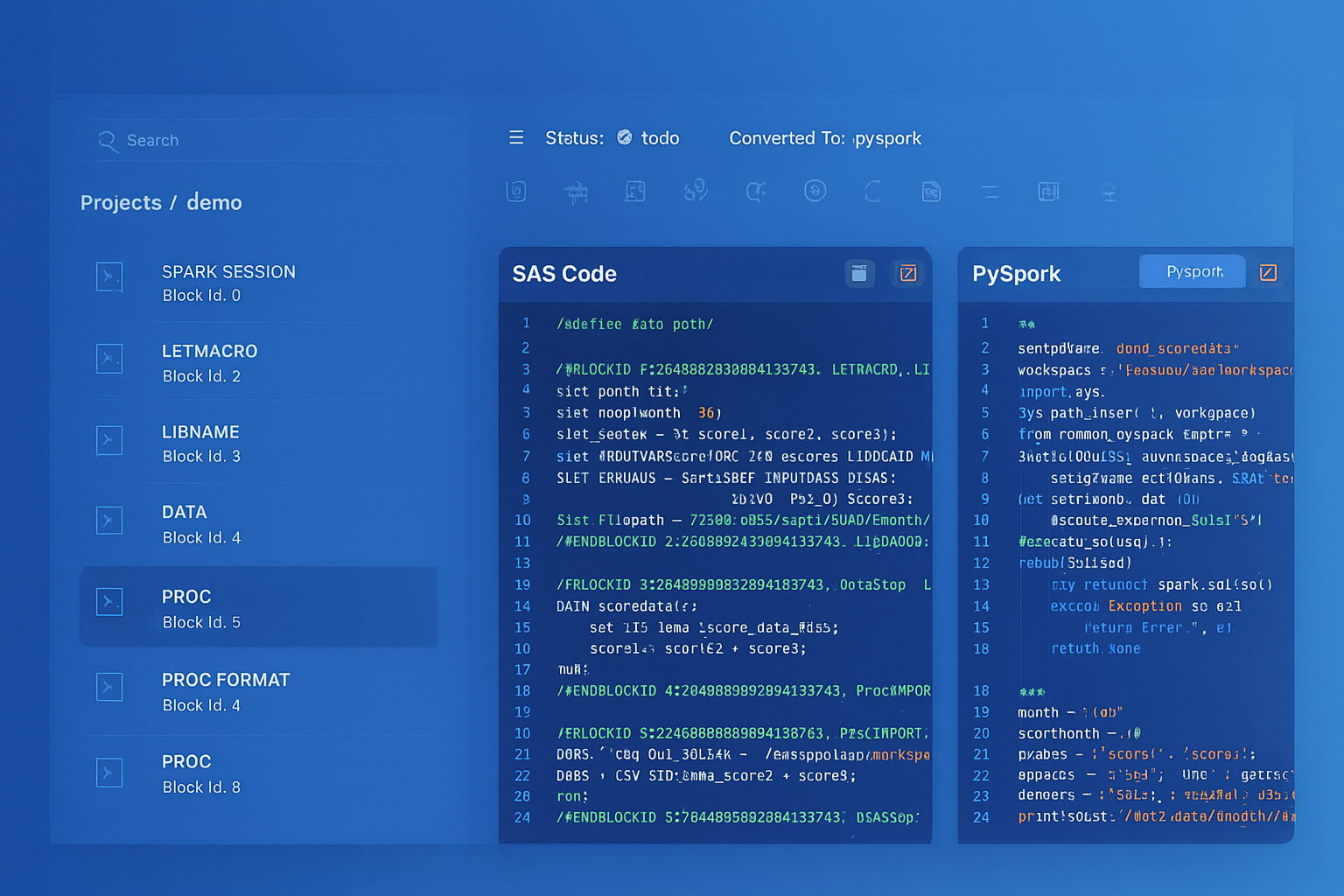
From parsed legacy code to production-ready modern equivalents — MigryX automates the entire conversion pipeline
From Legacy Complexity to Modern Clarity with MigryX
Legacy ETL platforms encode business logic in visual workflows, proprietary XML formats, and platform-specific constructs that are opaque to standard analysis tools. MigryX’s deep parsers crack open these proprietary formats and extract the underlying data transformations, business rules, and data flows. The result is complete transparency into what your legacy code actually does — often revealing undocumented logic that even the original developers had forgotten.
ODI Journalizing (CDC) to BigQuery Change Tracking
ODI's Journalizing Knowledge Module (JKM) implements Change Data Capture by creating journal tables (J$ prefix) and triggers or log-mining configurations on source tables. Subscriber views (JV$ prefix) filter the journal for each consuming Interface. In BigQuery, CDC is implemented through timestamp-based incremental loading combined with MERGE statements or Dataform incremental models.
-- ODI JKM creates: J$_CUSTOMERS with JRN_FLAG, JRN_DATE, JRN_SUBSCRIBER
-- ODI Interface reads: JV$_CUSTOMERS (subscriber view)

-- BigQuery CDC equivalent using Dataform incremental model
-- File: models/analytics/dim_customers_cdc.sqlx
config {
    type: "incremental",
    schema: "analytics",
    uniqueKey: ["customer_id"],
    bigquery: {
        partitionBy: "DATE(last_updated)"
    },
    assertions: {
        uniqueKey: ["customer_id"],
        nonNull: ["customer_id", "customer_name"]
    }
}

SELECT
    customer_id,
    customer_name,
    email,
    phone,
    region,
    status,
    change_type,
    change_timestamp AS last_updated,
    CASE WHEN change_type = 'DELETE' THEN TRUE ELSE FALSE END AS is_deleted
FROM ${ref("stg_customer_changes")}
WHERE change_type IN ('INSERT', 'UPDATE', 'DELETE')
QUALIFY ROW_NUMBER() OVER (
    PARTITION BY customer_id
    ORDER BY change_timestamp DESC
) = 1

${ when(incremental(),
    `AND change_timestamp > (SELECT MAX(last_updated) FROM ${self()})`)
}
ODI Topology to BigQuery Projects and Datasets
ODI Topology Manager defines the physical and logical infrastructure: Data Servers (database connections), Physical Schemas (database schemas), Logical Schemas (abstraction layer), and Contexts (environment bindings). This layered topology allows ODI to deploy the same Scenarios across DEV, QA, and PROD environments by switching contexts.
| ODI Topology Concept | BigQuery Equivalent | Implementation |
|---|---|---|
| Data Server | BigQuery project | company-analytics-dev, company-analytics-prod |
| Physical Schema | BigQuery dataset | staging, analytics, gold, reference |
| Logical Schema | Dataform schema config / environment variables | Abstracted via Dataform environments.json |
| Context (DEV/QA/PROD) | Separate GCP projects | Project-level isolation with identical dataset structure |
| Agent (physical/standalone) | N/A (serverless) | No agents — BigQuery manages all compute |
| Work Schema (C$ tables) | Temporary tables / query temp | BigQuery auto-manages temporary resources |
Oracle SQL Dialect Translation for BigQuery
ODI generates Oracle-specific SQL that must be translated to BigQuery SQL dialect during migration. The following table covers the most common translations that appear in ODI-generated code.
| Oracle SQL (ODI-generated) | BigQuery SQL | Notes |
|---|---|---|
| NVL(col, default) | IFNULL(col, default) or COALESCE() | COALESCE preferred for multi-value |
| DECODE(col, v1, r1, v2, r2, def) | CASE WHEN col=v1 THEN r1 WHEN col=v2 THEN r2 ELSE def END | No DECODE in BigQuery |
| TO_DATE('2026-04-08', 'YYYY-MM-DD') | DATE('2026-04-08') or PARSE_DATE('%Y-%m-%d', ...) | strftime format strings |
| TO_CHAR(date, 'YYYYMMDD') | FORMAT_DATE('%Y%m%d', date) | strftime format strings |
| SYSDATE | CURRENT_TIMESTAMP() or CURRENT_DATE() | Choose based on precision needed |
| ROWNUM | ROW_NUMBER() OVER () | Requires explicit window spec |
| || (string concat) | CONCAT() or || | CONCAT handles NULLs differently |
| CONNECT BY (hierarchical) | WITH RECURSIVE ... CTE | Structural rewrite required |
| ORA_HASH() | FARM_FINGERPRINT() | Different output range but same purpose |
| DBMS_OUTPUT.PUT_LINE | SELECT ... (in scripting) or logging | No direct equivalent; use Cloud Logging |
| TRUNC(date) | DATE_TRUNC(date, DAY) | BigQuery requires explicit granularity |
| ADD_MONTHS(date, n) | DATE_ADD(date, INTERVAL n MONTH) | Standard INTERVAL syntax |
BigQuery-Native Optimization Patterns
After migrating from ODI, teams should adopt BigQuery-native patterns that have no ODI equivalent. These patterns leverage BigQuery's columnar architecture for performance and cost optimization.
Partitioned and Clustered Tables
BigQuery partitioned tables limit the data scanned per query, directly reducing cost in on-demand pricing. Clustering further organizes data within partitions for faster filter and join performance.
-- Optimized fact table with partitioning and clustering
CREATE OR REPLACE TABLE `analytics.sales_fact`
PARTITION BY DATE(order_date)
CLUSTER BY region, product_category, customer_segment
AS
SELECT * FROM `staging.transformed_sales`;

-- Queries filtering on partition/cluster columns scan less data
SELECT region, SUM(revenue)
FROM `analytics.sales_fact`
WHERE order_date BETWEEN '2026-01-01' AND '2026-03-31'
  AND region = 'NORTH_AMERICA'
GROUP BY region;
-- This query scans only Q1 data for NORTH_AMERICA, not the entire table
STRUCT and ARRAY for Nested Data
BigQuery natively supports nested and repeated fields using STRUCT and ARRAY types, enabling denormalized storage that eliminates JOINs at query time.
-- Nested data model: orders with embedded line items and customer info
CREATE OR REPLACE TABLE `analytics.orders_nested` AS
SELECT
    o.order_id,
    o.order_date,
    STRUCT(
        c.customer_id,
        c.customer_name,
        c.email,
        c.segment
    ) AS customer,
    ARRAY_AGG(STRUCT(
        oi.product_id,
        p.product_name,
        oi.quantity,
        oi.unit_price,
        ROUND(oi.quantity * oi.unit_price, 2) AS line_total
    )) AS line_items,
    SUM(oi.quantity * oi.unit_price) AS order_total
FROM `staging.orders` o
JOIN `staging.customers` c ON o.customer_id = c.customer_id
JOIN `staging.order_items` oi ON o.order_id = oi.order_id
JOIN `reference.products` p ON oi.product_id = p.product_id
GROUP BY o.order_id, o.order_date,
         c.customer_id, c.customer_name, c.email, c.segment;

-- Query nested data without JOINs
SELECT
    order_id,
    customer.customer_name,
    customer.segment,
    item.product_name,
    item.quantity,
    item.line_total
FROM `analytics.orders_nested`,
    UNNEST(line_items) AS item
WHERE customer.segment = 'Enterprise'
  AND order_date >= '2026-01-01';
Migration Methodology and MigryX Approach
Migrating from ODI to BigQuery involves extracting and converting five distinct artifact categories: Mappings/Interfaces, Knowledge Module logic, Packages/Load Plans, Topology configuration, and Variables/Sequences. The complexity is compounded by ODI's XML-based metadata format, which is deeply nested and version-dependent across ODI 11g and 12c releases.
How MigryX Automates ODI-to-BigQuery Migration
- AST-Based Deterministic Parsing — MigryX parses ODI repository XML exports using abstract syntax tree analysis, not regex pattern matching or AI-only inference. This ensures +95% parser accuracy across ODI 11g and 12c metadata formats, including complex nested Interface definitions and custom Knowledge Module templates.
- Column-Level Lineage — Every transformation in every ODI Interface is traced from source column through every join, filter, and expression to target column, producing a complete lineage map. This lineage documentation is critical for audit compliance (SOX, GDPR, HIPAA) and for validating migration correctness.
- Multi-Target Output — MigryX generates BigQuery SQL, Dataform SQLX models, and Cloud Composer DAGs simultaneously from the same ODI source metadata. Teams choose their preferred execution model without re-running the migration analysis.
- STTM Documentation — Source-to-Target Mapping documents are generated automatically, providing business analysts and data stewards with a readable reference that maps every ODI column expression to its BigQuery equivalent, including data type conversions and function translations.
- On-Premise / Air-Gapped Deployment — For organizations with strict data governance requirements, MigryX runs entirely on-premise. No ODI metadata, SQL, or business logic leaves the customer's network. This is essential for financial services, healthcare, government, and defense organizations.
- Merlin AI — MigryX's Merlin AI assists with edge cases: custom Knowledge Module Jython code, PL/SQL procedure migrations, DECODE chains with embedded business logic, and CONNECT BY hierarchical queries that require recursive CTE rewrites. Merlin augments the deterministic parser with AI-driven suggestions while maintaining human oversight.
Recommended Migration Phases
- Phase 1: Discovery — Export ODI repository metadata. Use MigryX to parse all Interfaces, Packages, Scenarios, Load Plans, and KM customizations. Generate column-level lineage and STTM documentation. Identify Oracle-specific SQL constructs requiring translation and custom KMs requiring manual review.
- Phase 2: Foundation — Provision BigQuery projects and datasets mirroring the ODI topology. Configure Dataform repositories with environment-specific overrides (DEV/QA/PROD). Set up Cloud Composer environments. Establish Cloud Storage landing zones and data loading pipelines from source systems.
- Phase 3: Transformation Migration — Convert ODI Interfaces to Dataform models or BigQuery SQL using MigryX output. Start with reference/dimension tables (lower complexity, fewer dependencies) before progressing to fact tables. Validate row counts, aggregates, and sample-level data comparison between ODI and BigQuery outputs.
- Phase 4: Orchestration Migration — Convert ODI Packages and Load Plans to Cloud Composer DAGs. Replicate scheduling, dependency chains, error handling, and notification logic. Run parallel execution (ODI and BigQuery) during a validation period.
- Phase 5: Cutover — Switch downstream consumers (reports, dashboards, APIs) to BigQuery tables. Decommission ODI Agents, repository databases, and WebLogic infrastructure. Archive ODI metadata exports for historical reference.
The most common mistake in ODI migration is attempting a big-bang cutover. ODI environments typically contain hundreds of Interfaces with complex Load Plan dependencies refined over years. A phased approach with parallel execution and MigryX-driven automation reduces risk while maintaining data continuity for downstream systems.
Key Takeaways
- ODI Knowledge Modules (IKM, LKM, CKM, JKM, RKM) map to BigQuery SQL DML operations, managed data loading services, Dataform assertions, MERGE-based CDC patterns, and INFORMATION_SCHEMA queries respectively — eliminating the template-based code generation layer.
- ODI Interfaces become BigQuery SQL queries or Dataform SQLX models, with transformation logic expressed directly as SQL SELECT statements rather than through visual mapping configurations.
- The IKM Oracle Incremental Update pattern (staging table, MERGE, drop) is replaced by a single BigQuery MERGE statement or a Dataform incremental model configuration that handles the upsert logic automatically.
- ODI Packages, Scenarios, and Load Plans are replaced by Cloud Composer DAGs with full support for parallel execution, task groups, error handling, retries, and alerting.
- ODI Agents are eliminated — BigQuery serverless compute processes queries without infrastructure provisioning, patching, or capacity planning.
- ODI Topology (Data Servers, Physical/Logical Schemas, Contexts) maps naturally to BigQuery Projects, Datasets, and Dataform environments for DEV/QA/PROD isolation.
- Oracle SQL dialect constructs (NVL, DECODE, SYSDATE, ROWNUM, CONNECT BY, ORA_HASH) have well-defined BigQuery SQL equivalents that MigryX translates deterministically.
- BigQuery-native features like partitioned/clustered tables, STRUCT/ARRAY nested data, and BigQuery ML provide capabilities beyond anything available in ODI, enabling genuine modernization rather than simple migration.
- MigryX automates the extraction and conversion of ODI metadata to BigQuery SQL, Dataform, and Cloud Composer with +95% parser accuracy through AST-based deterministic parsing, column-level lineage, and STTM documentation.
Migrating from Oracle ODI to BigQuery is an architectural transformation, not a tool swap. ODI's Knowledge Module framework, while innovative in its era, adds a metadata and code-generation middleware layer between the developer and the database engine. BigQuery eliminates this layer entirely: transformations are SQL queries, orchestration is Cloud Composer DAGs, data quality is Dataform assertions, and there is no agent infrastructure to manage. The result is a simpler, faster, more cost-effective data platform that scales from gigabytes to petabytes without configuration changes. For organizations currently paying Oracle database licensing in addition to ODI licensing, the migration to BigQuery eliminates both cost centers simultaneously — often the decisive factor in the migration decision.
Why MigryX Is the Only Platform That Handles This Migration
The challenges described throughout this article are exactly what MigryX was built to solve. Here is how MigryX transforms this process:
- Deep AST parsing: MigryX’s custom-built parsers achieve 95% accuracy on every supported legacy technology — not through approximation, but through true semantic understanding.
- Merlin AI augmentation: Where deterministic parsing reaches its limit, Merlin AI resolves ambiguities and implicit behaviors, pushing accuracy to 99%.
- Complete coverage: MigryX supports 25+ source technologies including SAS, Informatica, DataStage, SSIS, Alteryx, Talend, ODI, Teradata, and Oracle PL/SQL.
- End-to-end automation: From parsing to conversion to validation — MigryX automates the entire pipeline, not just one step.
MigryX combines precision AST parsing with Merlin AI to deliver 99% accurate, production-ready migration — turning what used to be a multi-year manual effort into a streamlined, validated process. See it in action.
Ready to migrate from Oracle ODI to BigQuery?
See how MigryX converts ODI Interfaces, Knowledge Modules, and Load Plans to production-ready BigQuery SQL, Dataform models, and Cloud Composer DAGs.
Explore BigQuery Migration Schedule a Demo